News
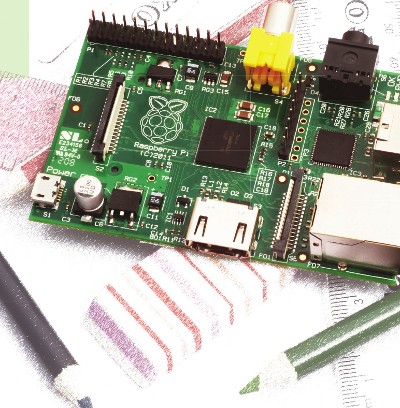
Issue 11 of the RS Components magazine, eTech, features an article I wrote on how the Raspberry Pi is set to inspire a new generation of engineers. The abstract is as follows:
In the lead up to its release the Raspberry Pi became what has to be the most eagerly anticipated single-board computer of all time. In this article, we take a look at the motivation behind the Raspberry Pi and the key technical details, and consider the opportunity it presents in support of its aim to “promote the study of computer science...and to put the fun back into computing”.
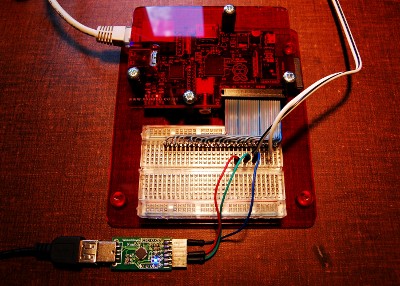
The H have published an article I wrote that provides a gentle introduction to hardware hacking with the Raspberry Pi:
With flexible I/O options and Linux capability, the Raspberry Pi offers enormous potential for hardware development. Andrew Back takes us through the possibilities with his hardware-hacking getting-started guide for the credit-card-sized Linux computer....
[[!img Error: "news/OSHUG.png" does not seem to be a valid png file]]
The second Open Source Hardware Camp will take place over the weekend of 15th & 16th September 2012, at the Birchcliffe Centre in Hebden Bridge, West Yorkshire. With nine talks on the Saturday and four parallel workshops on the Sunday.
Practical Experiences with the Google Android Accessory Development Kit (ADK)
The ADK is an exciting development platform that makes it possible to easily combine Android applications with custom hardware built around Arduino. Such combinations have the best of both worlds by enabling the creation of a mobile phone application with access to peripheral devices that is only limited by your imagination.
This talk will cover two projects that extend what the phone can do by integrating both input and output devices. And will cover some of the dos and don'ts of using the ADK and associated IDEs. If time permits there will also be a demonstration with a quick run through of the code.
The Internet of Things and Arduino
As connecting hardware to the network becomes cheaper and cheaper we're seeing the rise of what is being called the Internet of Things, or “IoT” for short.
This talk will give an introduction to the Internet of Things and explain how open hardware platforms such as Arduino are helping it grow. With plenty of examples of IoT projects, from using sensors to map global radiation levels to bakeries that tweet when the bread is fresh out of the oven.
Developing Linux on Embedded Devices
This talk will provide an introduction to developing Linux on embedded devices. Firstly we will look at the capabilities of popular boards such as the BeagleBone and the Raspberry Pi. Then using the example of a BeagleBone controller for a 3D printer the talk with explain how to develop for an embedded device. It will consider what comprises an embedded Linux software stack. The talk will discuss boot loaders, kernels and root filesystems. We will discuss what are the minimum software packages required in a root file system. The talk will then go on to consider the tools required to develop for an embedded target. It will look at what tools are available to help the embedded developer and speed up this development process. Once you have developed your software you need to debug it. The talk will look at what debugging tools are available for debugging embedded devices.
Interfacing the Raspberry Pi to the World
You've received your Pi, set up a web server on it and maybe played a few rounds of Quake. You're looking for a new challenge and suddenly the header on the corner of the board catches your eye. A quick Google search for "P1 Raspbery Pi" gets you to the eLinux wiki page on Low level peripherals, and you suddenly realise that you can do all sorts of fun stuff by adding extra bits to your Raspberry Pi using this magical expansion port. Where do you start? Is it safe to connect a motor directly to the pins? What sort of interesting components are out there?
Sensing Wearable Technology
An introduction to wearable technology that will include examples which incorporate sensors, plus work which makes use of the LilyPad Arduino, an open source, sewable microcontroller.
Running OpenBTS in the Real World
This talk will explore the OpenBTS project and describe how it uses software-defined radio and open source Internet telephony to create a small but complete GSM mobile phone network.
The 3D Printed Revolution
Over recent years Open Source 3D printers have quickly developed alongside their commercial counterparts offering affordable and accessible alternatives. This talk will cover experiences using commercial printers and how the speaker's interests have moved to open source designs and how the two compare. Examples will be shown of projects using these technologies, such as "Fable", a clock manufactured by Selective Laser Sintering, and a wrist watch designed to be printed on a RepRap. There will also be a run through of the design considerations and how files were created, fixed and sliced in preparation to print on a RepRap.
The Bots are Coming
In the last two decades we have seen software and data change the fabric of economics, and the advent of personal computing and the Internet enable many new business models. However, the next two decades will be even more radical as that wave of innovation shifts from the virtual domain to a physical manifestation. Atoms are the new bits and the open sourcing and democratisation of bot technology is allowing us to enter into an era of personal production. And this talk will explore how 3D printing and additive manufacturing are revolutionising production as we know it.
DIYBIO - The Next Frontier
DIYBIOMCR is an public group based at MadLab dedicated to making biology an accessible pursuit for citizen scientists, amateur biologists and biological engineers who value openness and safety. This talk will give an overview of the movement, and what is going on at MadLab involving not only biology but also diverse fields such as hardware-hackers, artists, journalists and the open-source movement.
Sunday Workshops
Workshops on building the Internet of Things with Arduino and the Google ADK, 3D Printing, Interfacing the Raspberry Pi and Building GSM Networks with Open Source.
For more information and to register visit the OSHUG event page.
A number of recent blog posts appear to have picked up some interest:
My Raspberry Pi Thinks It's a Mainframe
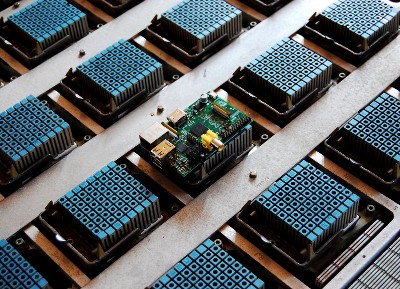
A post about how a Raspberry Pi can be used to emulate an IBM 4381 mainframe processor. This had around 72,000 views in 24 hours, reaching over 100,000 after a month.
A Raspberry Pi (VAX) Cluster
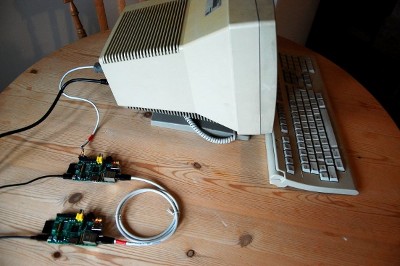
Using a Raspberry Pi to emulate a classic computer architecture again, but this time a pair of VAX that are running OpenVMS and configured as a cluster. This received around 30,000 views in the first 24 hours.
Atomic Time for the Raspberry Pi
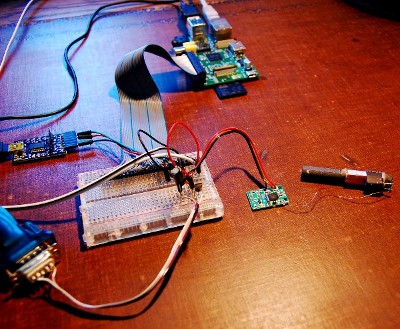
A post about how you can synchronise a Raspberry Pi to the time service provided by the UK's National Physical Laboratory, this apparently caused a bit of excitement at NPL and resulted in a news item that was featured on their homepage.
[[!img Error: "news/OSHUG.png" does not seem to be a valid png file]]
Open Source Hardware User Group meeting #20 will take place on Thursday 21st June 2012.
Unmanned aerial vehicles (UAVs), or drones, are increasingly making the news, but when they do so it's usually because of their use in warfare. However, drones can be put to use in many other, far more positive applications. And at the twentieth OSHUG meeting we will hear talks on an experimental attitude and heading reference system (AHRS), using open source technology to build drones for use in disaster relief, and on a fun and novel method of flying drones via gesture control.
For more information and to register visit the OSHUG event page.
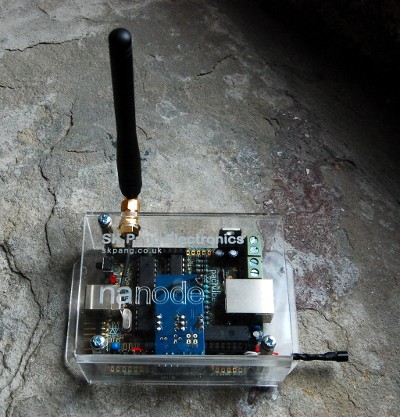
The H have published an article I wrote on the Internet of Things:
In the Internet of Things, physical objects will gather data and pass it into information networks and will consume data from those same networks. That mass of new information and its automated creation and consumption will change everything. Andrew Back looks at the practical aspects of this change and shows how you can build a point of the future with an Arduino-compatible Nanode and the Cosm web service....
[[!img Error: "news/OSHUG.png" does not seem to be a valid png file]]
Open Source Hardware User Group meeting #19 will take place on Thursday 31st May 2012.
For those that are new to hardware development it can prove a daunting prospect, and kits that address the needs of those with little or no experience in this area have a vital role to play. At the nineteenth OSHUG meeting we will be hearing about two such kits, one that was designed to support user-led smart home innovation and that was based around the Arduino platform, and an experimenters kit for the Raspberry Pi that is currently in development.
For more information and to register visit the OSHUG event page.
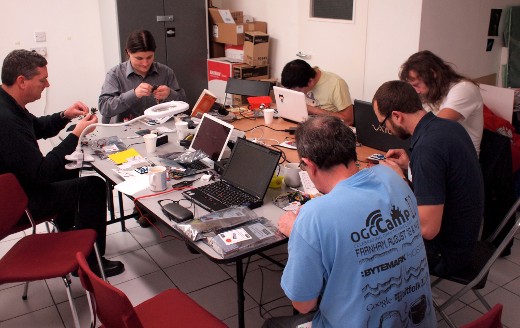
Issue 10 of the RS Components magazine, eTech, features an article I wrote on the need to move towards social hardware development.
It is increasingly rare to find end-to-end design and manufacture taking place under one roof. This “vertical disintegration” has led to a reconfiguration of the electronics industry value chain, creating a growing need for collaboration across many specialist firms and coordination across countries. As the intense pressure to specialise continues to drive outsourcing, now more than ever before, the development of hardware needs to become a social act.
[[!img Error: "news/OSHUG.png" does not seem to be a valid png file]]
Open Source Hardware User Group meeting #18 will take place on Thursday 26th April 2012.
At the eighteenth OSHUG meeting we will hear how open source collaboration is being used to transform data centre design, and how open source hardware and software have been used to enable low cost ARM development. It will also be the OSHUG 2nd anniversary, and two years on we are delighted to welcome back XMOS, who will be giving us an introduction to event-driven programming with XCore.
For more information and to register visit the OSHUG event page.